Connect the company WhatsApp numbers your counsellors already use. They keep chatting from their phones, and every conversation, photo and document appears in your CRM, next to the student’s record.
Approved Meta Tech Provider
The problem
Students would rather WhatsApp than email, so that’s where most of your admissions work really happens. But each number sits on its own phone, and every phone is a blind spot.
No oversight
Managers can’t see how fast students get a reply, or which chats have gone quiet.
Cost: leads go cold while you think they’re being handled.
No record
What was promised about fees, scholarships or deadlines lives only in one phone.
Cost: disputes you can’t settle, promises you can’t check.
Lost documents
Passports, transcripts and offer letters get buried in a phone’s gallery.
Cost: students asked to send the same passport three times.
History walks out
When a counsellor leaves, the conversations and the relationship go with them.
Cost: the student pipeline you paid for leaves with them.
WhatsApp coexistence
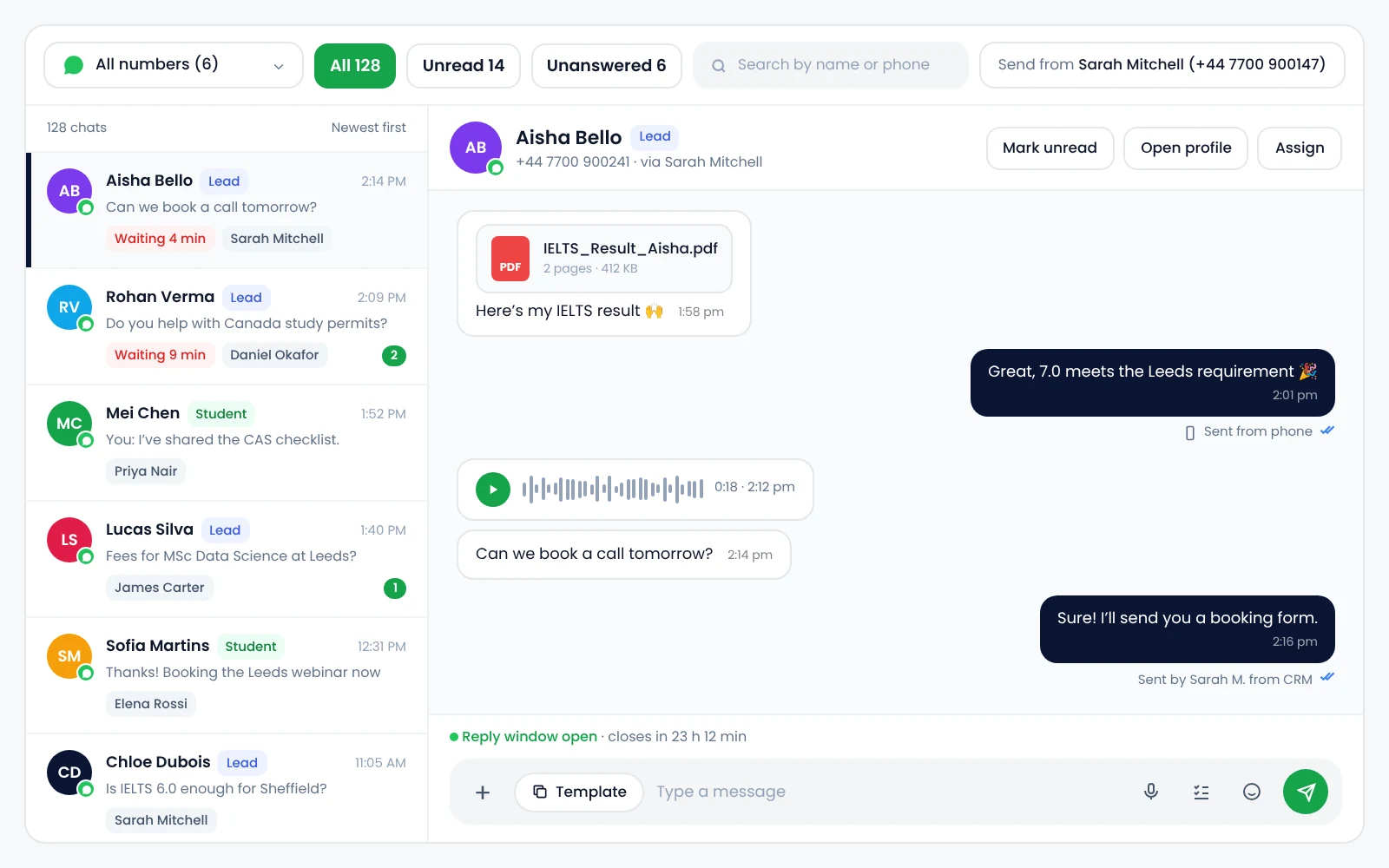
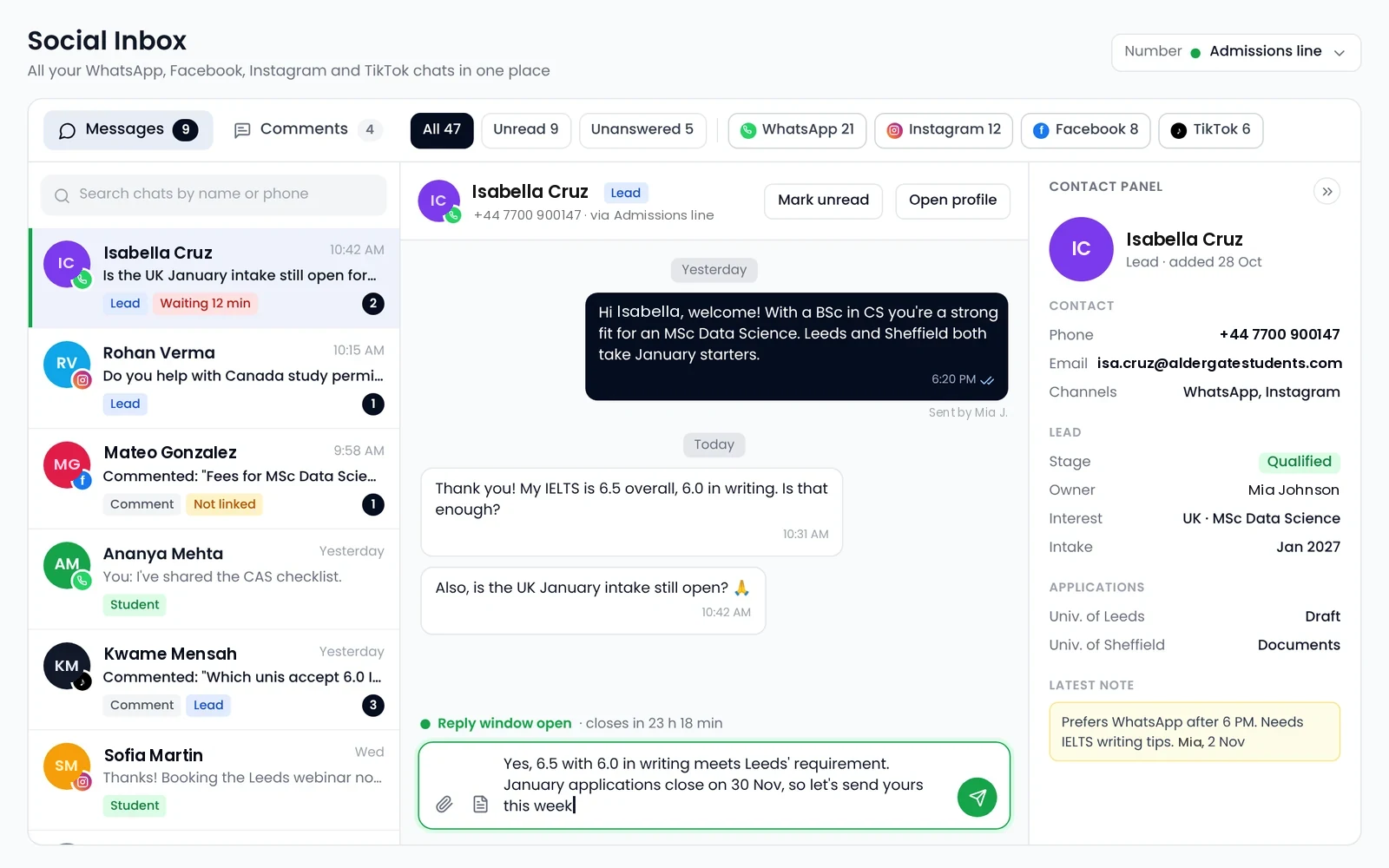
With coexistence, one WhatsApp Business number works in two places at once: the WhatsApp Business app on the counsellor’s phone, and your CRM. Reply from either. Every message from both shows up in the CRM.
Want a number only the CRM uses? You can connect one of those too, and use both side by side.
Counsellor’s phone
WhatsApp Business app
Your CRM
Managers and team
One number. Same conversation. Both places, in sync.
All your numbers
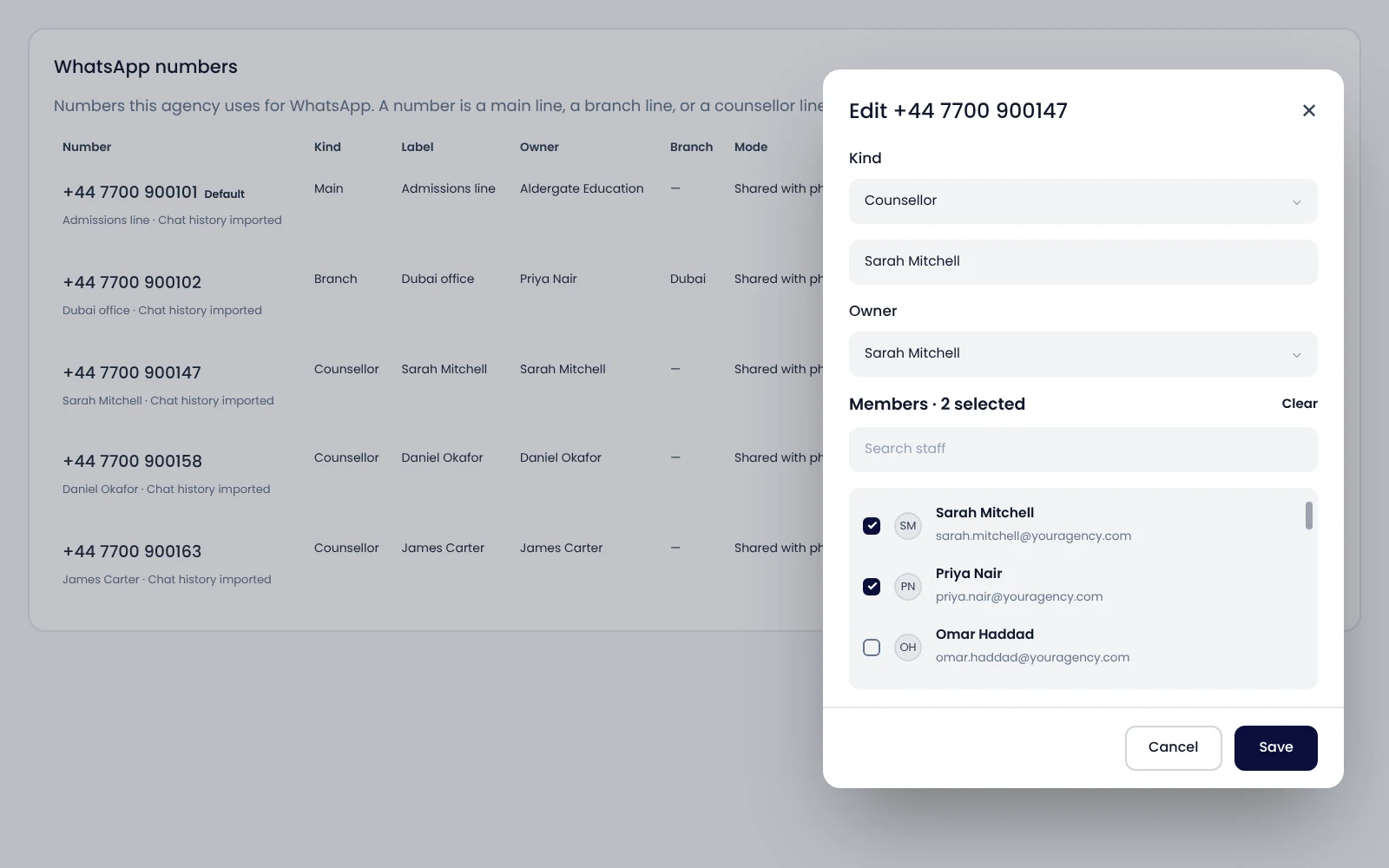
Connect every number your agency uses and switch between them in one click. Counsellors see the numbers they work on. Managers see the whole team.
End-to-end chat
Every message from the first “Hi” to the visa approval, both sides, with every photo and file. Replies a counsellor sends from their phone show up too, marked “Sent from phone”.
Documents
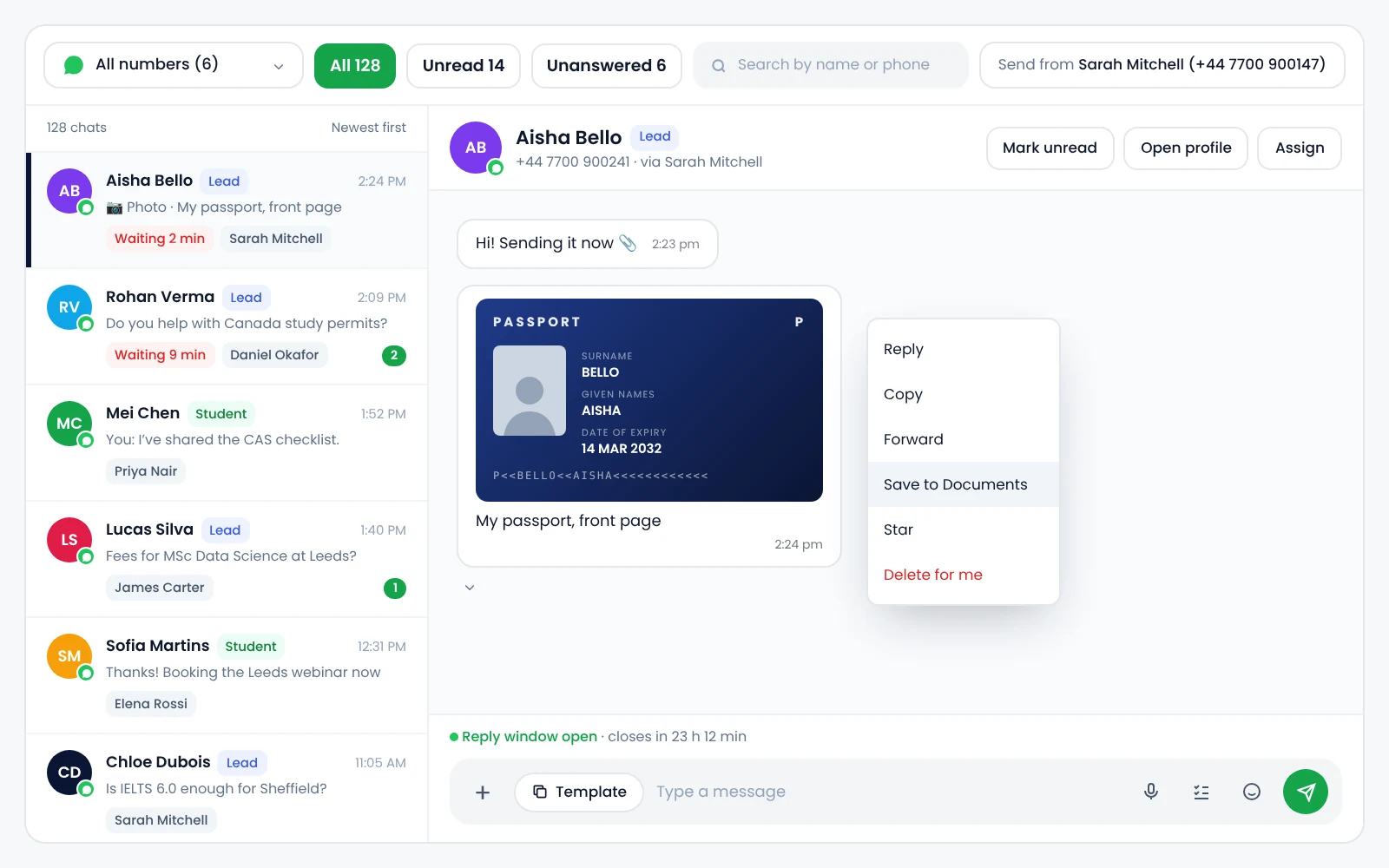
A student sends their passport, transcript or IELTS result on WhatsApp. Your counsellor clicks Save to Documents, picks the document type, and it’s filed on the student’s profile, ready for the application.
WhatsApp Forms and Flows
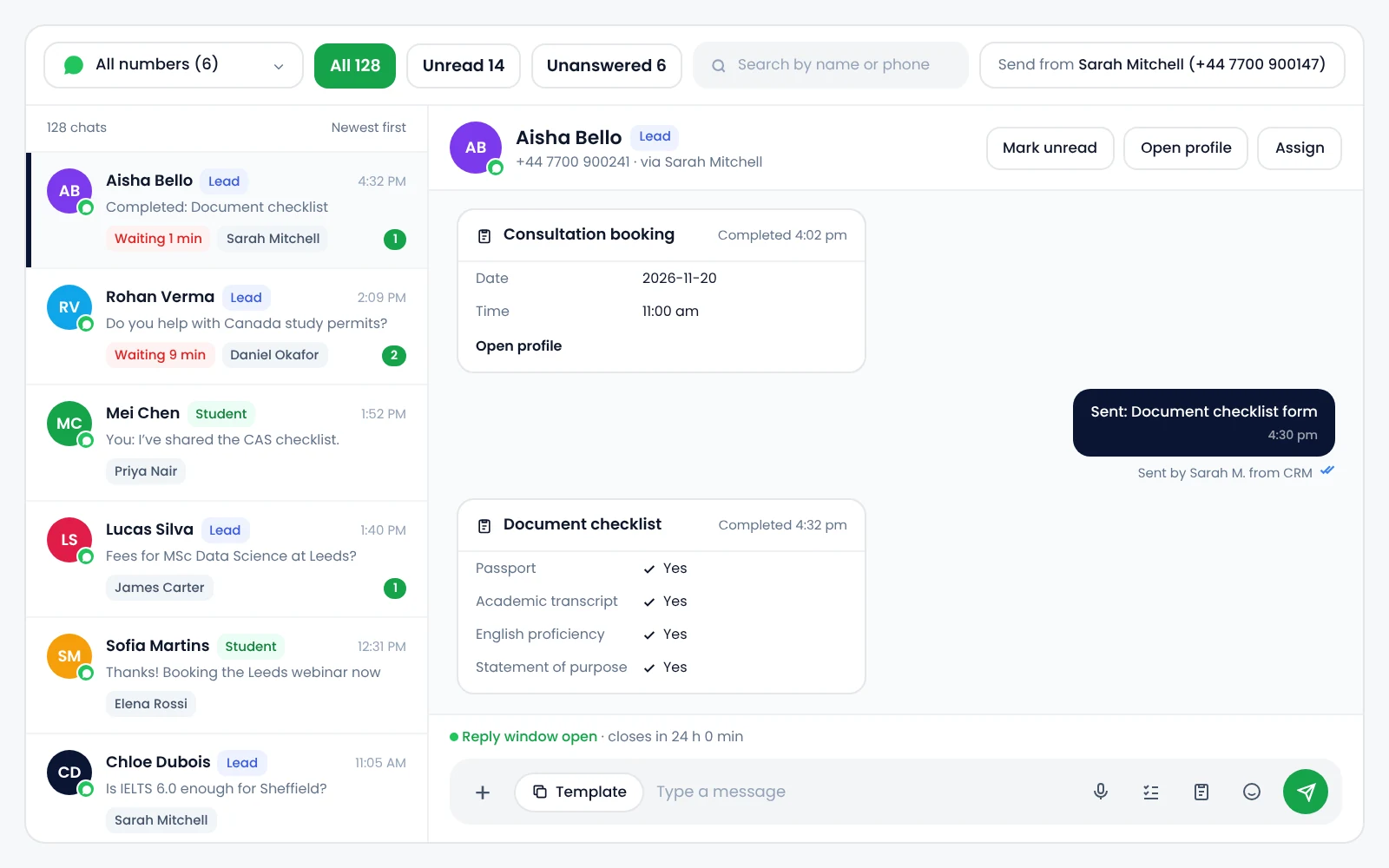
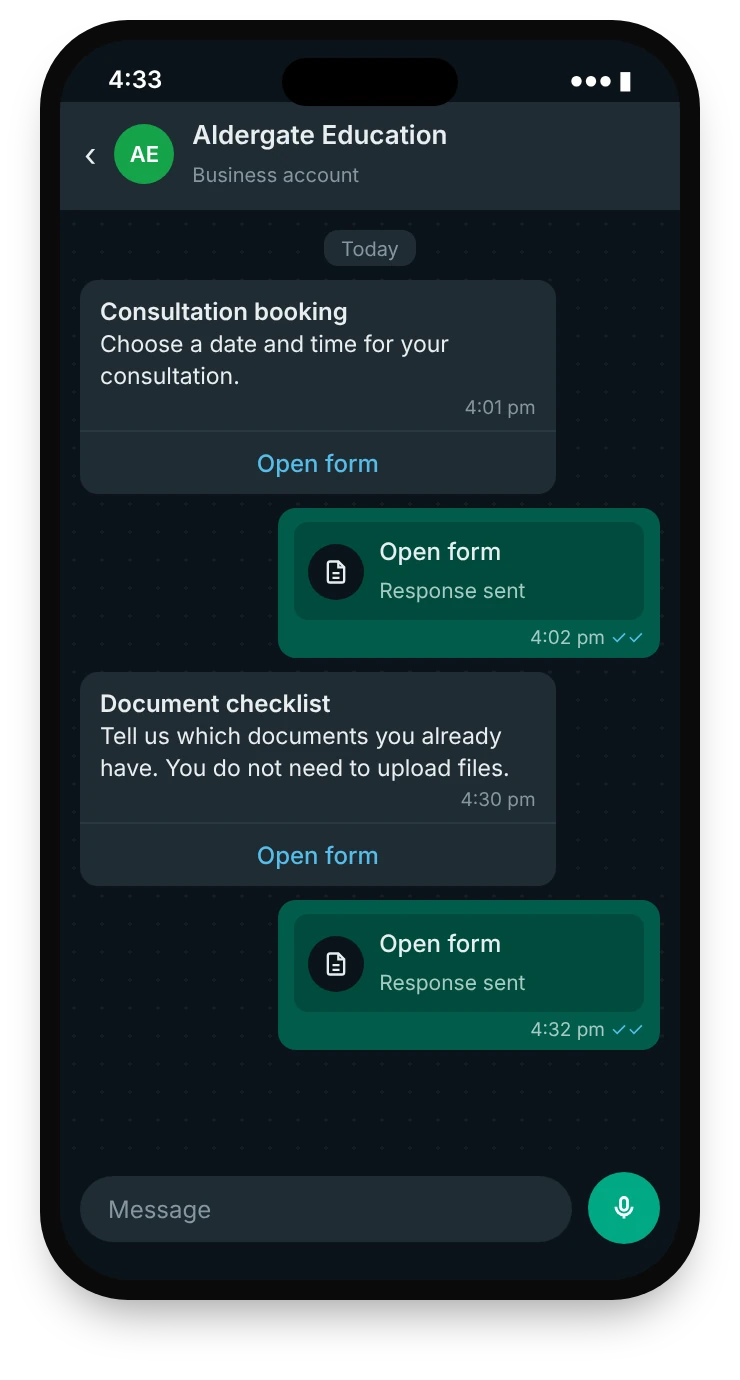
Send a form inside the chat. The student taps through a few screens, and their answers are saved straight to their lead record. No links, no websites, no typing it all in again.
Start with three ready-made forms, or build your own in the CRM: your questions, your wording, saved to the lead fields you choose, including your own custom fields.
Enquiry form
Collected inside WhatsApp. A new lead is created with the answers already filled in.
Consultation booking
The student picks a time for a call with a counsellor without leaving the chat.
Document checklist
Ask which documents they have ready, so your counsellor knows exactly what to chase.
Scholarship eligibility
Your own questions to spot who qualifies, saved to the fields your team filters on.
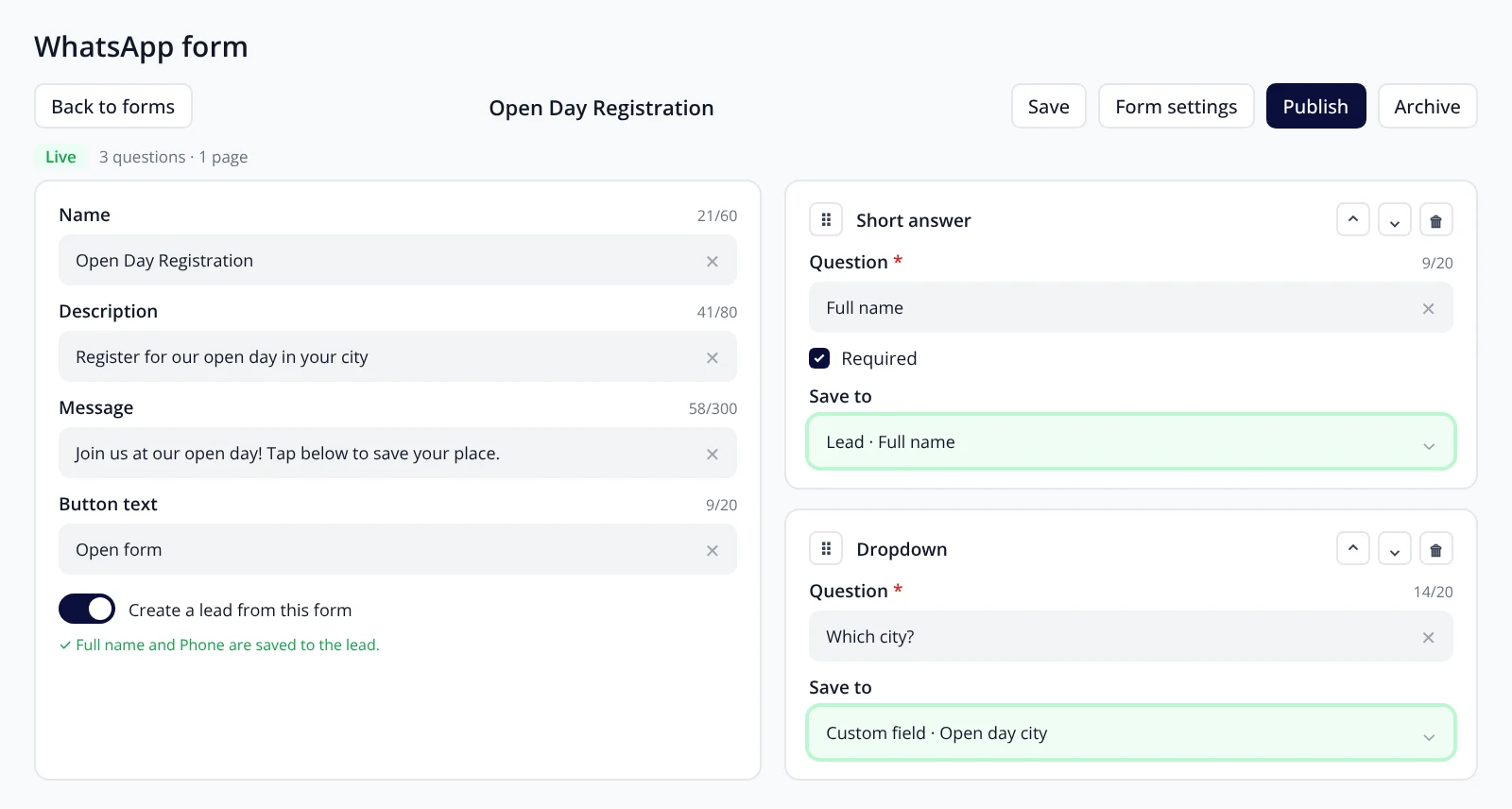
Open day registration
Sign students up for your event and know who is coming before the day.
Build your own forms
Name it, write the message and button, add your questions, and choose where each answer is saved: a lead field or one of your own custom fields. Switch on “Create a lead from this form” and every reply becomes a lead.
Up to 20 forms, each with up to 5 pages and 30 questions.
Faster replies
Give students buttons to tap instead of questions to type, and give counsellors ready-made messages instead of starting from scratch every time.
Templates
Write your message templates in the CRM and send them for Meta approval. Use them to restart a conversation after 24 hours, or to message many students at once.
Quick-reply buttons
Send a message with up to three buttons, like “Book a call”, “Send documents” or “Not now”. Students tap instead of typing.
List menus
Offer up to ten choices in one tidy menu: countries, intakes, courses or branches.
Presets
Save the button and list messages you send every day, and send them again in two clicks. Every counsellor gives the same clear answer.
WhatsApp automations
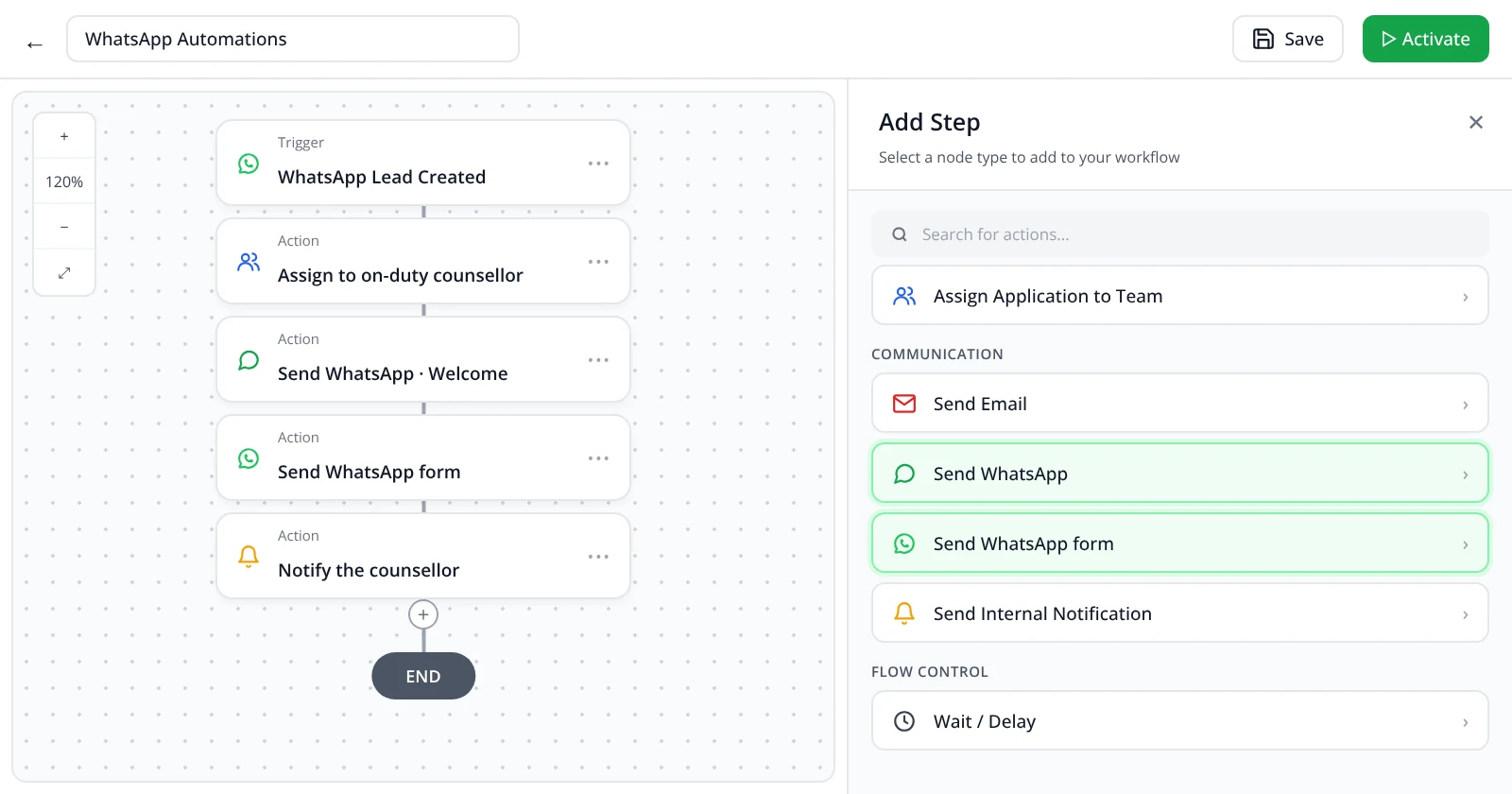
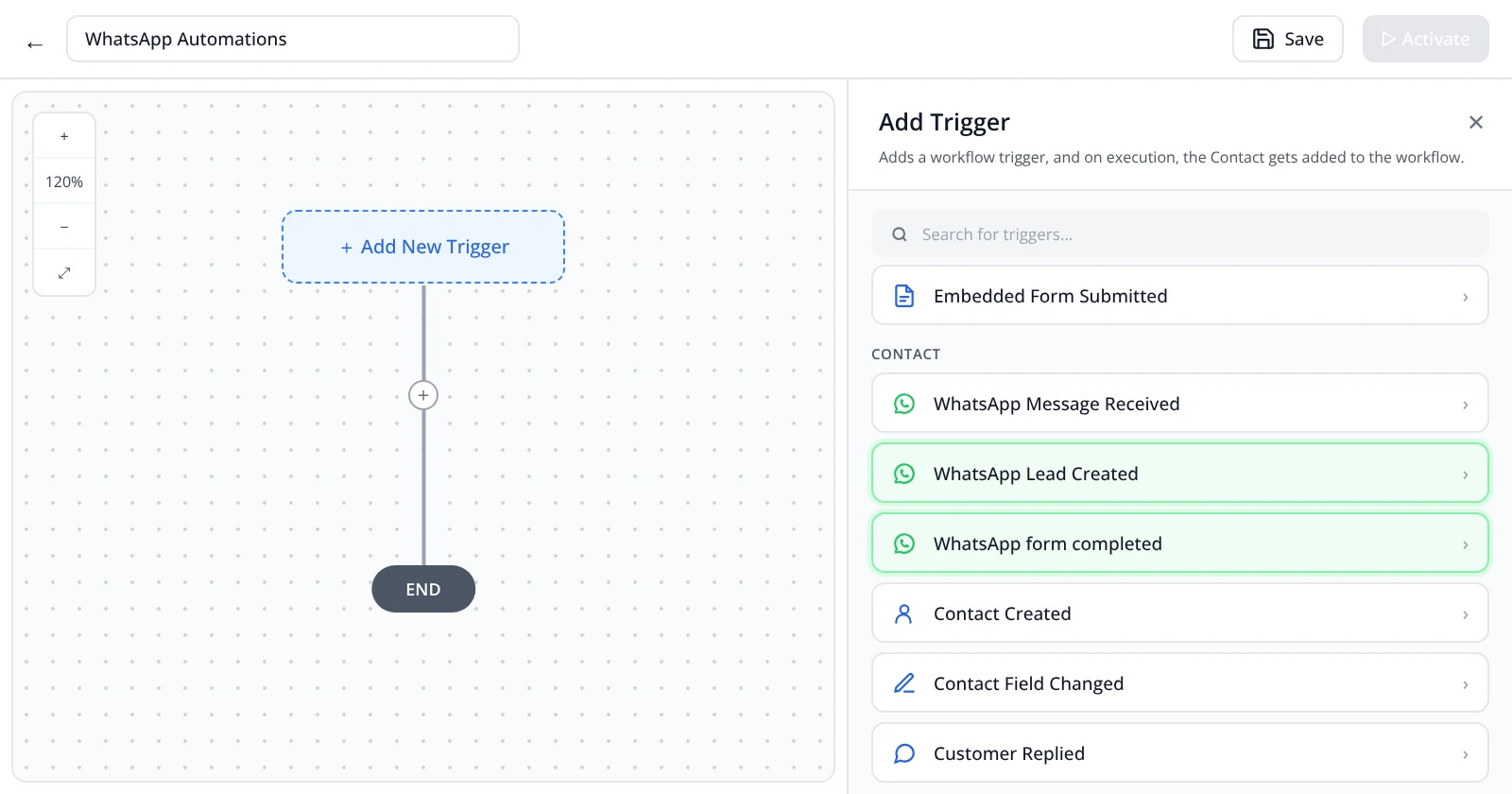
WhatsApp is built into your CRM’s workflow builder. Start a workflow when a lead arrives, a form is completed or a message comes in. Use an if/else on the WhatsApp ad ID to give each ad campaign its own follow-up, and send WhatsApp messages and forms as steps.
“You pay for Click-to-WhatsApp ads, then the chat sits unanswered for hours.”
“A new number messages at 11 pm. Nobody sees it until the morning.”
“A student fills in your form and the answers sit there until someone notices.”
“A student is still waiting for a reply, and nobody has noticed.”
“The best news of a student’s year arrives, and they hear it days later.”
“Deposits, CAS documents and visa slots are missed because nobody chased.”
WhatsApp triggers sit in the same builder as your email, application and commission automations, so one workflow can do all of it. Choose which numbers each trigger listens to: the main line, every number, or the ones you pick.
See the workflow builder →
Broadcasts
Pick a list of leads or students, choose an approved template and send. Use it for open days, intake deadlines, scholarship news and webinar reminders.
See marketing features →Pricing
WhatsApp runs on your own WhatsApp Business account. Meta bills you directly for messages, at Meta’s own rates. TechUni doesn’t add a cent.
WhatsApp coexistence and the features on this page are included in the Growth and Enterprise plans.
See TechUni plans →It lets one WhatsApp Business number work in two places at the same time: the WhatsApp Business app on the phone, and the TechUni CRM. Your counsellors keep their phones and their number, and every message sent from either place shows up in the CRM.
No. With coexistence you connect the WhatsApp Business numbers you already use. If you prefer, you can also connect a new number that is used only through the CRM.
No. When you connect a number with coexistence, you can choose to bring its recent chat history into the CRM, so counsellors and managers see the earlier conversations too.
As many as your agency uses. Connect the head office line, each branch and each counsellor’s number, and choose which staff can see each one.
Yes. You decide who can see which number. Managers can follow every conversation on the numbers they have access to, see what was said and step in when a student is waiting.
Growth and Enterprise. That covers connecting multiple numbers, manager monitoring, WhatsApp forms and flows, quick-reply buttons and presets, and saving chat documents to the student’s profile.
No. WhatsApp runs on your own WhatsApp Business account, and Meta bills you directly for messages. TechUni adds no markup.
Yes. TechUni is an approved Meta Tech Provider, so your numbers are connected through Meta’s official WhatsApp Business Platform.
Book a 30-minute demo.