Your agency's data, in its own database.

TechUni is multi-tenant software, but your data isn't mixed with anyone else's. Each agency runs on its own separate database.

One agency, one database.

Many CRMs keep every customer in one shared database and separate them with a filter. TechUni gives every agency its own database, with its own credentials. Your students, leads, invoices and commissions are never stored alongside another agency's.

Audit trail and activity log.

The agency-wide audit trail records changes across the CRM: who made them, what changed, and when. Every lead and student also has its own activity log, so a manager can see the full history of a file at a glance.

  • ✓ Agency-wide audit trail
  • ✓ Activity log on every lead and student
  • ✓ Approvals record who asked, who approved and when
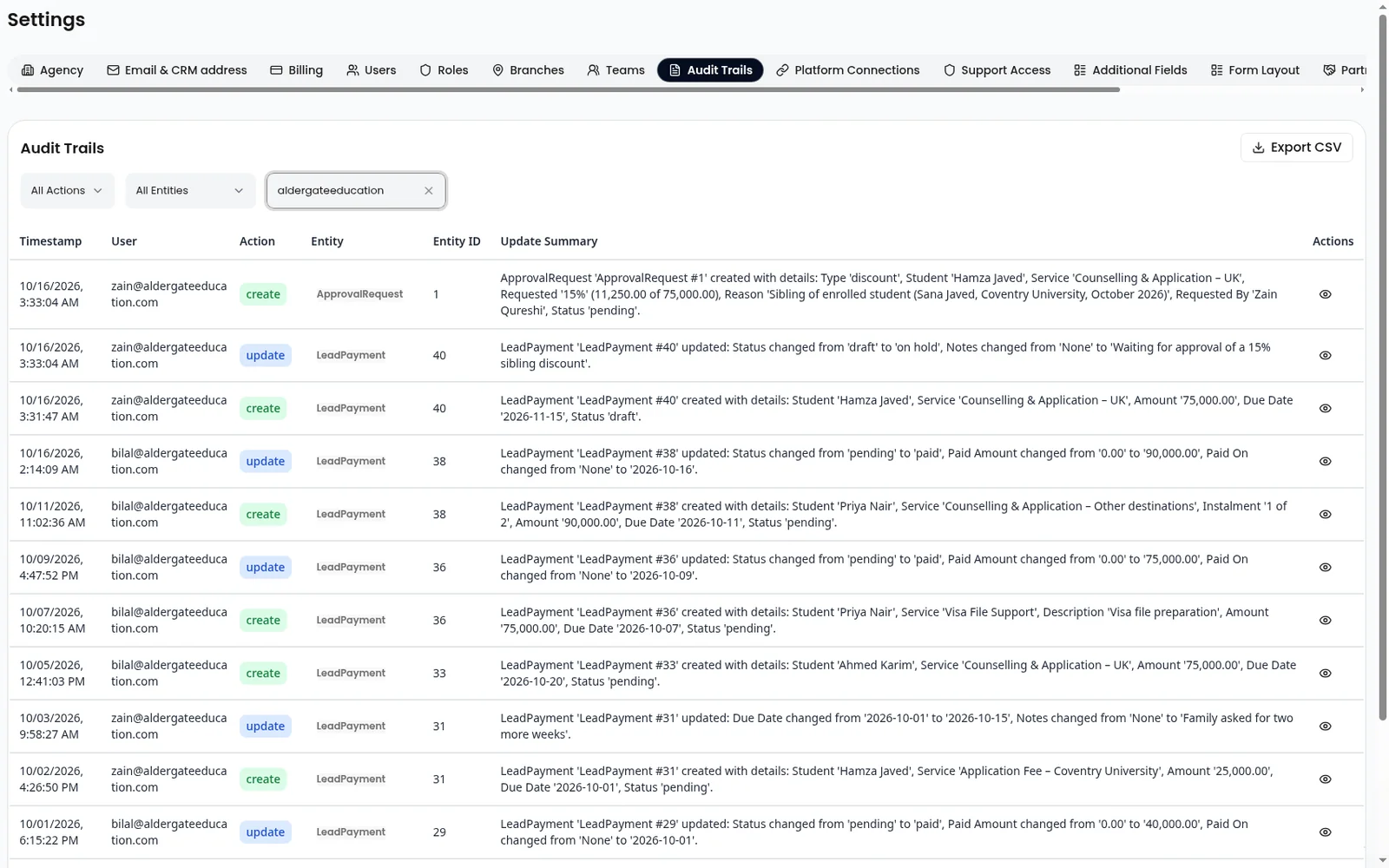
Audit trail of approval requests and payment records, showing who changed each entry and when
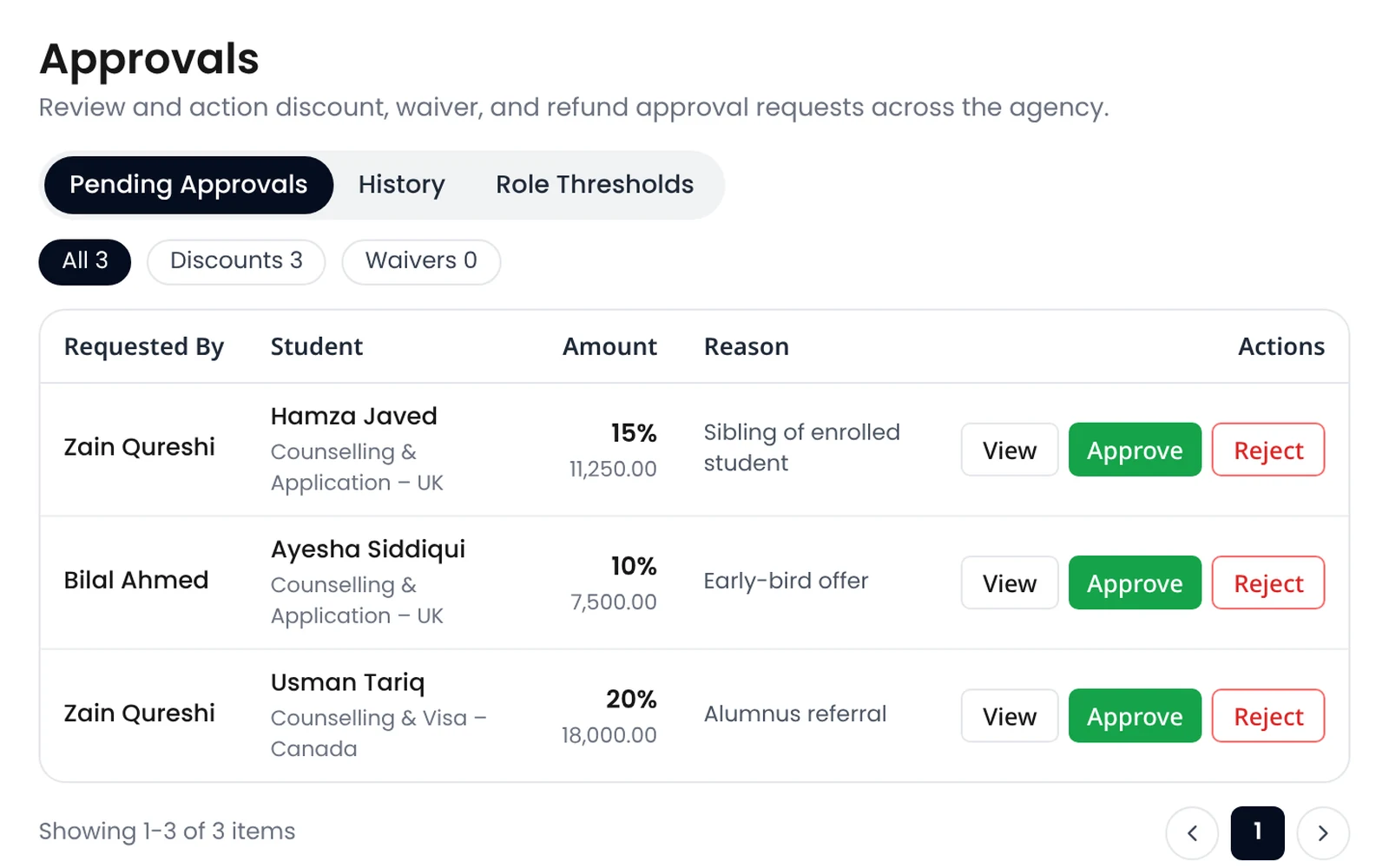
Three discount requests above the counsellor's limit, waiting for a manager, each with View, Approve and Reject

Discounts and refunds need the right person.

Set how much each role can discount or refund. A counsellor can give up to their limit. Anything bigger goes to a manager for approval, with a reason. Approving a refund and paying it out are separate permissions, so one person can't do both unless you allow it.

Access control

  • ✓ Role-based access: counsellors see their own students, managers see their team's
  • ✓ Accounts lock after repeated failed sign-ins
  • ✓ Our support team can only look into your account after you approve a request, and that access is logged
  • ✓ Students can delete their own account from the app

Hosting and encryption

  • ✓ Hosted on Amazon Web Services in the EU (Stockholm region)
  • ✓ Databases encrypted at rest; all traffic encrypted in transit
  • ✓ Automatic backups with 7 days of point-in-time recovery
  • ✓ Social media and ad account connections stored encrypted

AI Assistant tokens follow the CRM.

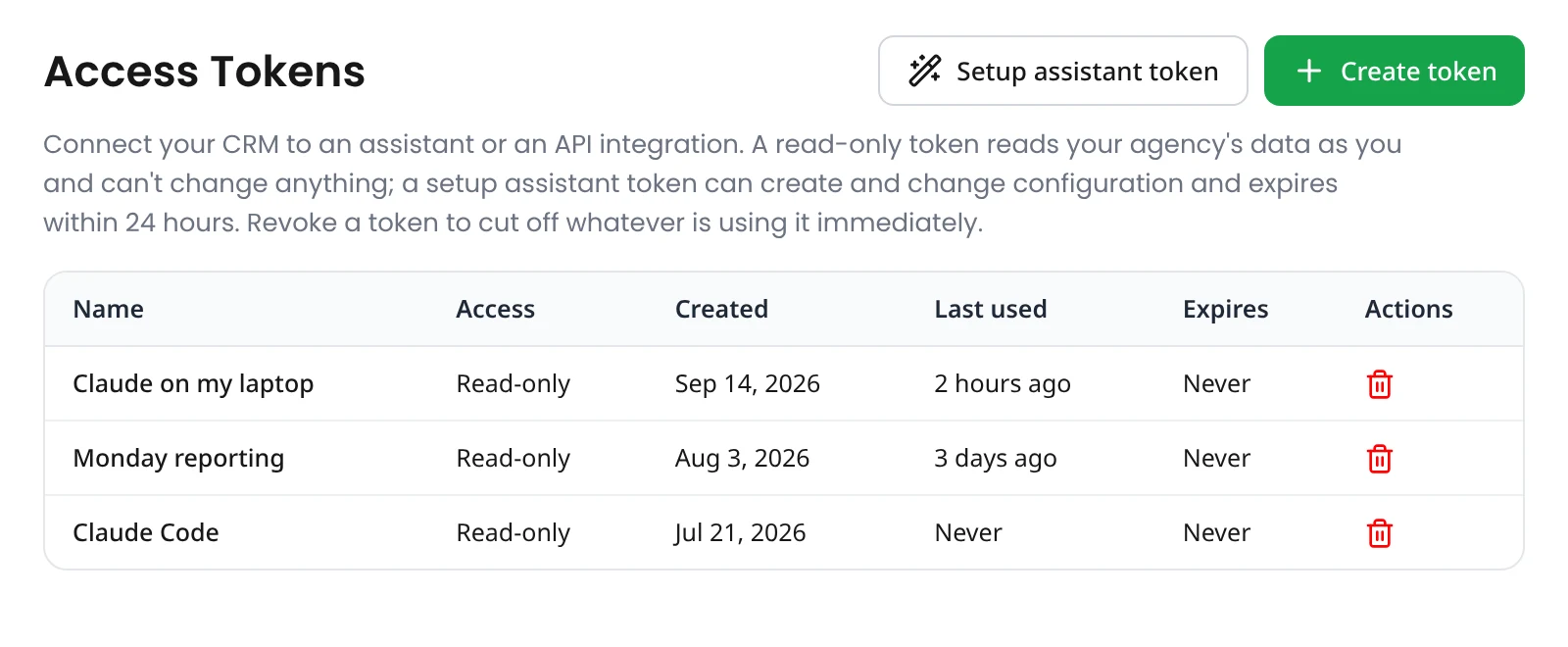
Staff ask Claude or ChatGPT with their own access token, created in Settings → Access Tokens. The token is read-only, belongs only to that person, and can be revoked at any time. The assistant sees only what that person could see in the CRM. Counsellors never see commission, and one agency never sees another's data. Revoke a token and access stops immediately. An admin can also create a setup token: it expires within 24 hours, can change setup only, and cannot create admin users, change passwords, or mint more tokens.

See the AI Assistant →
The Access Tokens settings screen listing read-only tokens, with Create token and Setup assistant token buttons

Have a security questionnaire?

Send it to us before your demo: privacy@techuni.com.