
Lead management
Leads rarely say no. They go quiet: an enquiry nobody answered, a call nobody made, a student parked with the wrong counsellor. Your CRM catches every one, routes it to the right person, and chases it until it converts.
Book a 30-minute demo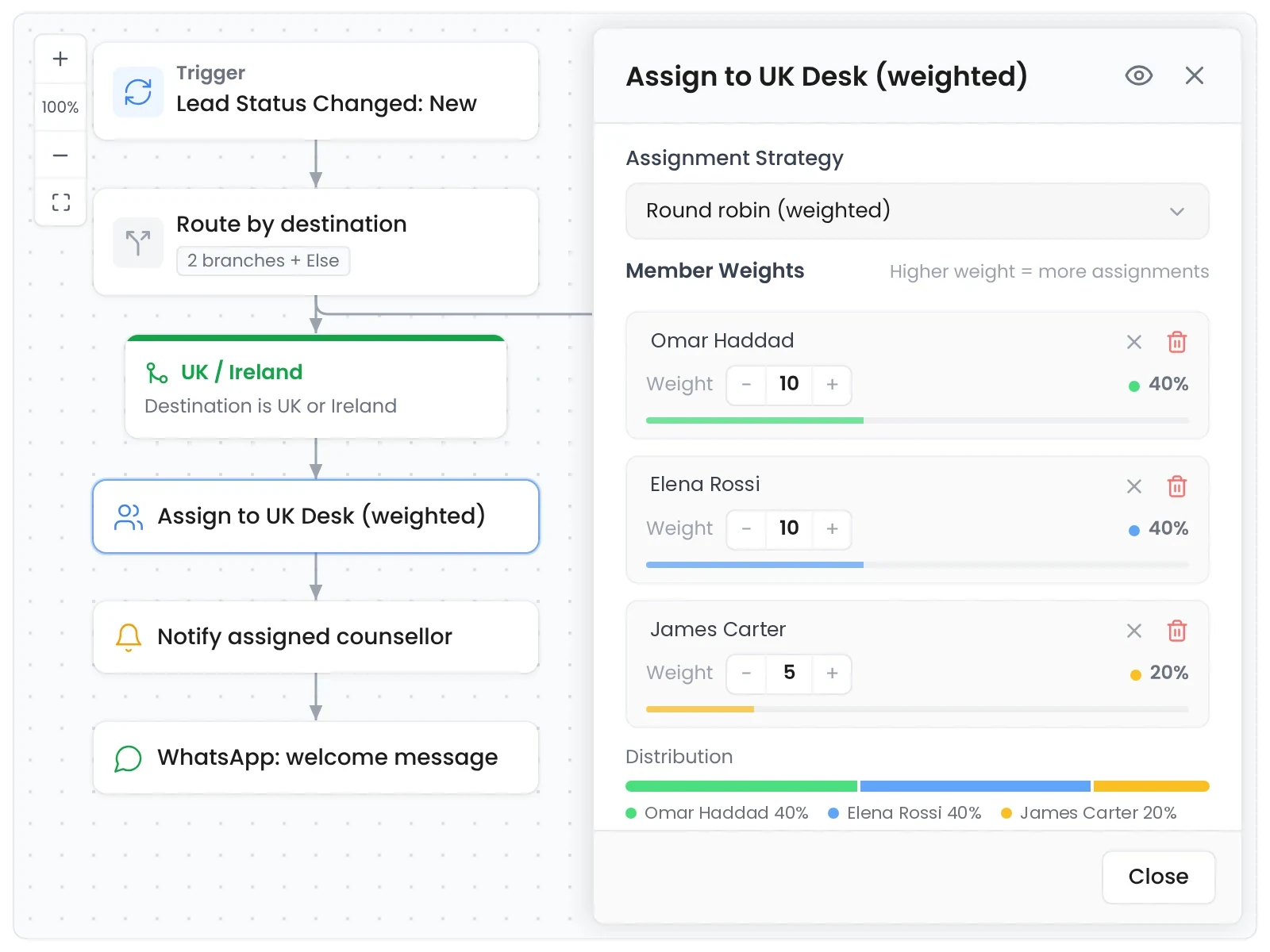
How leads are shared out
Built only for international-education agencies — recruiting to the UK, Australia, Canada, the USA and Europe.
Sound familiar?
Every channel produces enquiries. Without one system catching them all, each channel is also a place where students quietly go cold.
You pay for every click — then the enquiry sits unread in an ads dashboard until it's stone cold.
Cost: the ad budget you already spent.
Form submissions land in an inbox nobody owns — answered days later, if at all.
Cost: a student who filled in three agencies’ forms, and heard back from them first.
A name scribbled on a notepad at the front desk — gone the moment the page turns.
Cost: a student who came to your door, and still went elsewhere.
Sitting in a counsellor’s WhatsApp on a company number. Nobody else can see it, and nobody knows if it was answered.
Cost: the chat history walks out with the counsellor.
“We find out about an enquiry days after it came in.”
01 · Capture
Every enquiry lands in one list the moment it arrives — website form, ad campaign, walk-in or manual entry — tagged with exactly where it came from. No inbox-checking, no notepads, no channel left unwatched.
“Two counsellors called the same student. Another one nobody called at all.”
02 · Assignment
New leads route to the right counsellor automatically — by destination, branch or source — the moment they arrive, so nothing sits unclaimed. And when the same student enquires twice, the duplicate is caught before it clutters your pipeline.
“After the second message, nobody follows up again.”
03 · Nurture
Move leads through your stages, and email or WhatsApp them straight from the lead's record — every message in one thread, visible to the whole team. Reminders and notes live on the same record, so no follow-up is ever forgotten.
When a new number messages any of your WhatsApp lines, TechUni can create the lead, assign it to a counsellor and send a welcome. Send a WhatsApp form and the student’s answers fill in the lead for you.
See WhatsApp features →New triggers
Leads rarely say no. They go quiet while nobody follows up, or they get parked with a counsellor who can’t help them. These triggers stop all of it.
“A student messaged on WhatsApp and waited all day.”
WhatsApp chat unanswered
Checked every minute, on every connected number. Alert the counsellor who owns the chat, then the manager if it’s still waiting.
“A lead you paid for hasn’t been called in a week.”
Lead not touched for N days
You pick the number of days. Remind the counsellor, reassign the lead, or send the student a follow-up.
“Right student, wrong desk, so the lead just sits.”
Lead Redirected
The counsellor marks it for another destination. It restarts there and goes to the right team, with an alert if nobody picks it up.
“We retype everything when a lead becomes a student.”
04 · Convert
When a lead is ready, one click turns them into a full student profile — every detail, document and conversation carried over. The original lead stays marked Converted, so your marketing attribution never breaks.
A short, focused walkthrough of lead capture, routing and conversion. No slide deck, no hard sell.
Book a 30-minute demo Prefer WhatsApp? Message us →Website forms, ad campaigns, walk-ins, referrals and manual entry — every enquiry lands in the same list, tagged with its source, no matter where it started.
Yes. New leads are routed by destination, branch or source, then shared round-robin, equally or weighted toward the counsellors you choose. You can also spread a backlog across your team in one bulk action.
Duplicates are detected on entry and merged into the existing lead, so one student never becomes three records with three different histories.
Yes — bulk import brings your existing leads in, so you start with your full pipeline already in the system, not an empty screen.
No. When a lead becomes a student, the lead stays in your list marked Converted — so your marketing attribution and source reporting stay intact.
Bring your busiest enquiry channel to the call — we'll show you how it runs on TechUni.
Book a 30-minute demo Prefer WhatsApp? Message us →